How to Choose a Visual AI Tutor for Math and Science (2026 Guide)
Why text-based AI chatbots fail at STEM and what makes a true visual AI whiteboard tutor. Compare diagrams, synchronized voice narration, and active learning.
Level: Middle School, High School, AP, College
In this guide
Quick answer
A high-quality visual AI tutor must build diagrams in front of the student stroke by stroke, synchronize spoken voice explanations with visual elements, allow interactive pauses and follow-up questions, and derive formulas from first principles instead of merely dumping finished answers. Claryfied provides this experience with a live Excalidraw whiteboard and voice tutor for math, physics, and chemistry.
The Problem with Text-First AI Chatbots in STEM
If you have ever asked ChatGPT, Claude, or another standard chatbot to explain projectile motion, circuit analysis, or organic reaction mechanisms, you know the frustration. You receive three screens of dense Markdown, bullet points, and detached LaTeX equations. Even if the algebra is technically correct, your brain has to hold multiple abstract variables in working memory and mentally assemble the geometry.
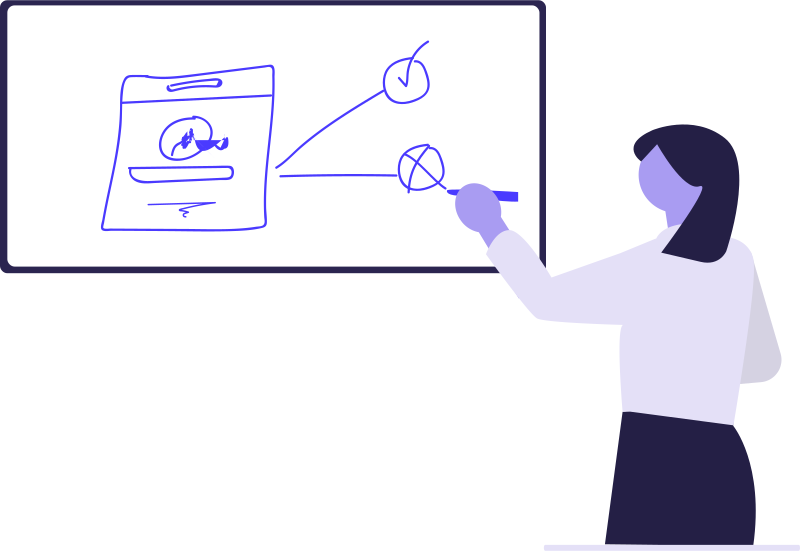
Math and science are inherently spatial and sequential. When an expert teacher explains a concept, they do not read an essay to you—they pick up a marker, sketch a coordinate system, draw force arrows in real time, and talk through each step as they draw it. Static text forces students into passive reading or rote answer copying, which collapses during exams when problem numbers change.
Five Essential Features of a True Visual AI Tutor
Before relying on an AI tutor for homework help or exam revision, evaluate whether it actively builds understanding or just dispenses answers. A capable visual tutor must meet five criteria:
- Stroke-by-stroke visual construction: Does it draw axes, rays, apparatus, and shapes sequentially, or does it merely paste a finished stock diagram?
- Voice-to-ink synchronization: Does the audio explanation explain each element exactly as it appears on the canvas, preserving cognitive focus?
- First-principles derivation: Does it show where equations come from, or does it assume prerequisite formulas without justification?
- Interactive doubt resolution: Can the student pause, tap an element on the canvas, and ask a targeted follow-up question?
- Subject-specific accuracy: Does it handle precision STEM geometry like Snell's law refraction, focal points, and stoichiometric balancing without geometric hallucinations?
How Claryfied Bridges the Gap Between AI and Human Whiteboard Tutoring
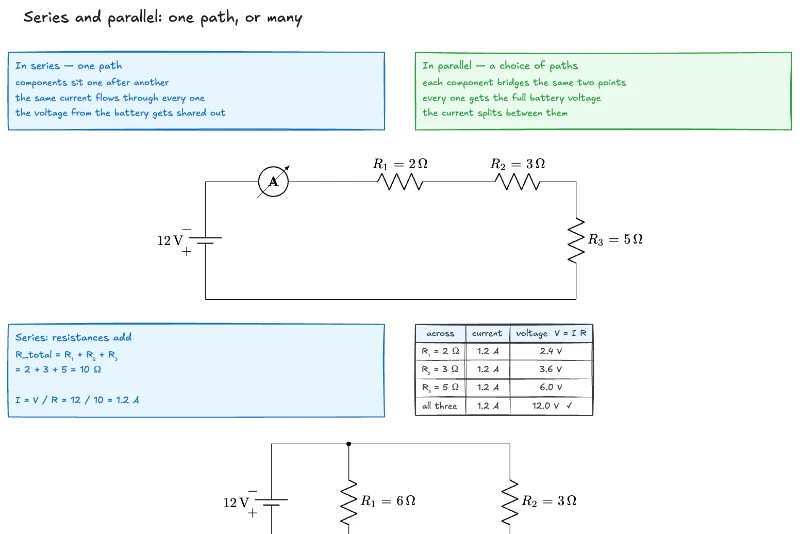
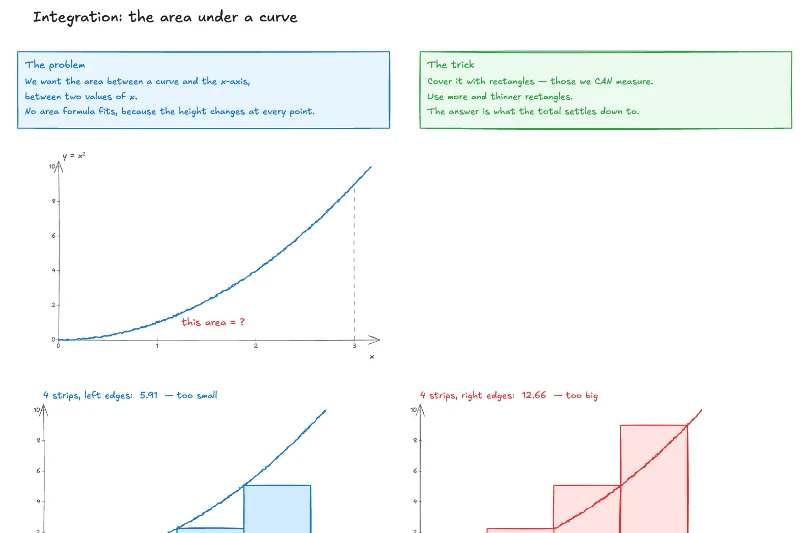
Claryfied was created specifically to replace static text chatbots with an on-demand whiteboard tutor. When a student types or speaks a question into Claryfied—whether it is an AP Physics problem, an organic chemistry synthesis, or calculus integration—an AI engine composes a tailored Excalidraw canvas revealed element by element.
Each stroke is paired with natural voice narration powered by Kokoro TTS. You see the free-body diagram get drawn while hearing why the normal force tilts; you watch the burette deliver drops while seeing the pH curve climb. Students can pause at any second, take notes directly on the board, replay tricky steps, or ask follow-up questions about specific annotations.
Best of all, Claryfied gives every new student 5 complete interactive lessons completely free with no credit card required, so you can test your toughest homework problem on the live board immediately.
How to Evaluate Your Homework with Claryfied
The best way to test any educational tool is with an authentic problem you are currently stuck on. Pick a question from tonight's homework that you cannot visualize from your textbook. Enter it into Claryfied, set your preferred lesson depth (crisp review or detailed step-by-step derivation), and watch the board come to life.
After watching the lesson, pause the playback, hide the board, and attempt to recreate the primary diagram and derivation from memory. If you can sketch the setup and explain the core relationship in your own words, you have achieved genuine conceptual mastery.
What to remember
- Text-based chatbots dump walls of equations that overload working memory instead of teaching spatial concepts.
- A true visual tutor reveals diagrams stroke-by-stroke in lockstep with natural voice narration.
- Look for tools that derive formulas from first principles rather than pasting finished solutions.
- Claryfied lets students ask any STEM problem, watch it drawn on a live whiteboard, and try 5 complete lessons free with no credit card required.
Frequently asked questions
How does Claryfied differ from standard AI tools like ChatGPT?
Standard AI tools return static text and Markdown equations. Claryfied generates a live, hand-drawn Excalidraw whiteboard canvas with synchronized voice narration that explains every step as it is sketched, making abstract STEM concepts intuitive.
Can I use Claryfied for free?
Yes. Every new account receives 5 complete, interactive visual whiteboard lessons for free with no credit card required. You can also watch all public sample lessons without an account.
What subjects does Claryfied support?
Claryfied specializes in STEM subjects across middle school, high school, AP/IB, and introductory university levels, including Algebra, Geometry, Trigonometry, Calculus, Mechanics, Electromagnetism, Optics, General Chemistry, and Organic Chemistry.
Can I ask follow-up questions during a Claryfied lesson?
Yes. You can pause the lesson at any time, click on any labeled element or formula on the board, and ask targeted follow-up questions to clarify confusing steps.
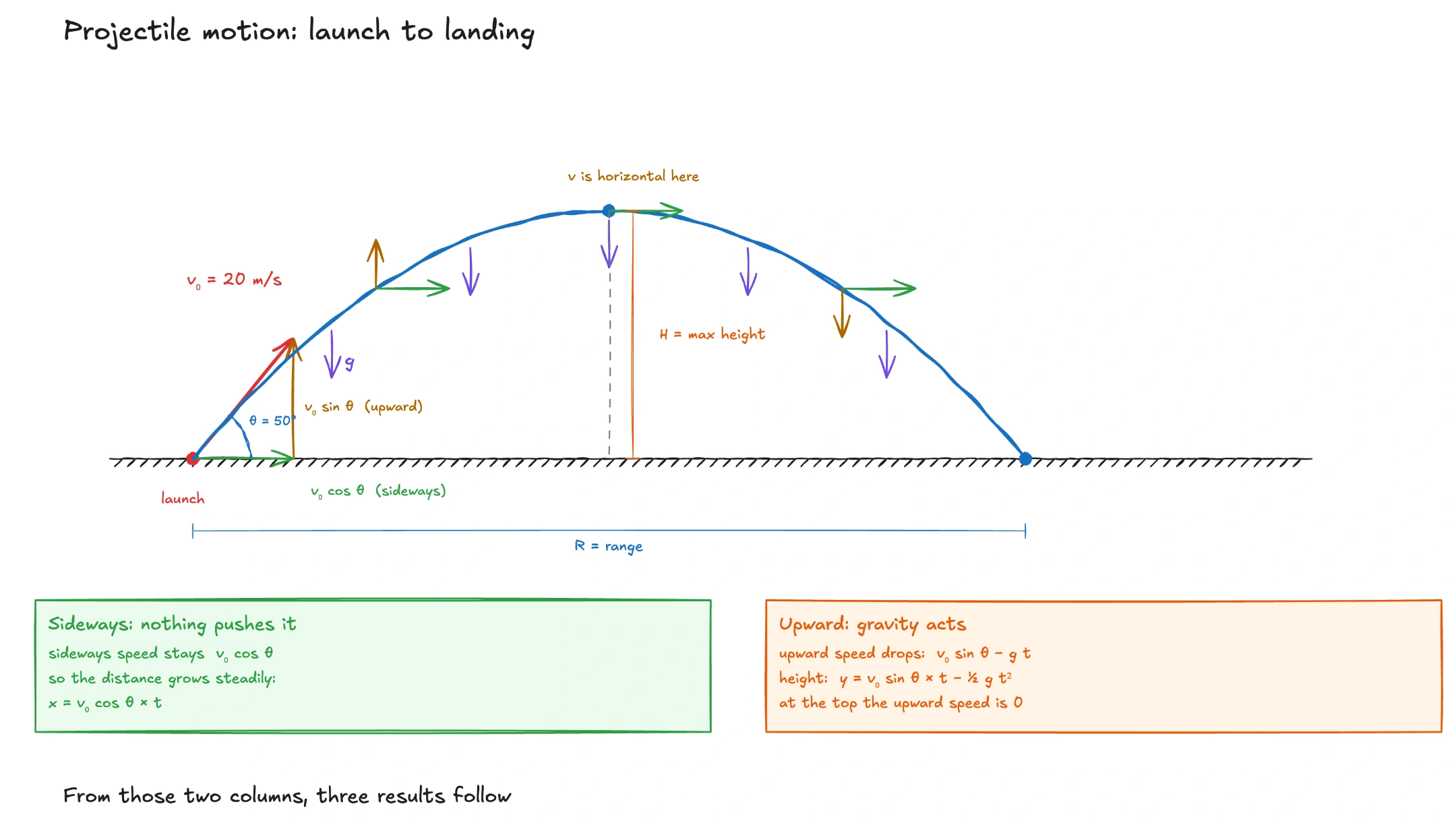
Watch a Live Claryfied Lesson on Projectile Motion
Play this complete interactive lesson free—drawn and narrated from start to finish. Or enter your own homework problem to get 5 lessons free.